





GPS Map Camera is an especially interesting tool for anyone who wants to keep a detailed record of all the places they've visited, including their coordinates and other statistics. By adding interesting features to your Android's camera, GPS Map Camera offers the ultimate tracking tool for remembering the exact time and location of every photo, video, and montage.
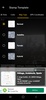
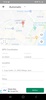
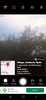
Using GPS Map Camera couldn't be simpler: once you've opened the app and permitted it to access the camera on your phone or tablet, just press the shutter button as if it were a traditional camera. From that moment on, each photo will be accompanied by the date and time it was taken, its coordinates, and a record that's saved to a small map and can serve as a shortcut to the photo's location.
GPS Map Camera allows you to modify these parameters by adding or removing elements and changing the map's appearance.
If you're not afraid of being tracked, GPS Map Camera offers an interesting alternative to the basic Android camera.
Requirements (Latest version)
- Android 6.0 or higher required


 123 reviews
  Users find the app easy to use











Comments
so nice
The application is easy to use.
Cannot change the location.
very helpful
An app that's very good for helping my work
Nice service